CAD Standards Management
Standards only matter if they're actually used. Caddex makes your standard details the path of least resistance, so consistency happens by default instead of by enforcement.
Every firm has CAD standards on paper. The hard part is CAD standards management in practice — making sure every drafter, on every project, actually uses the approved details instead of copying whatever was handy from the last job. Standards documents don't enforce themselves; the tooling around your details does.
Why standards drift
- Approved details are hard to find, so people reuse old drawings instead.
- There's no clear line between an approved detail and a working draft.
- When a standard changes, there's no reliable way to push the update to everyone.
- Nobody can see who changed what, or when.
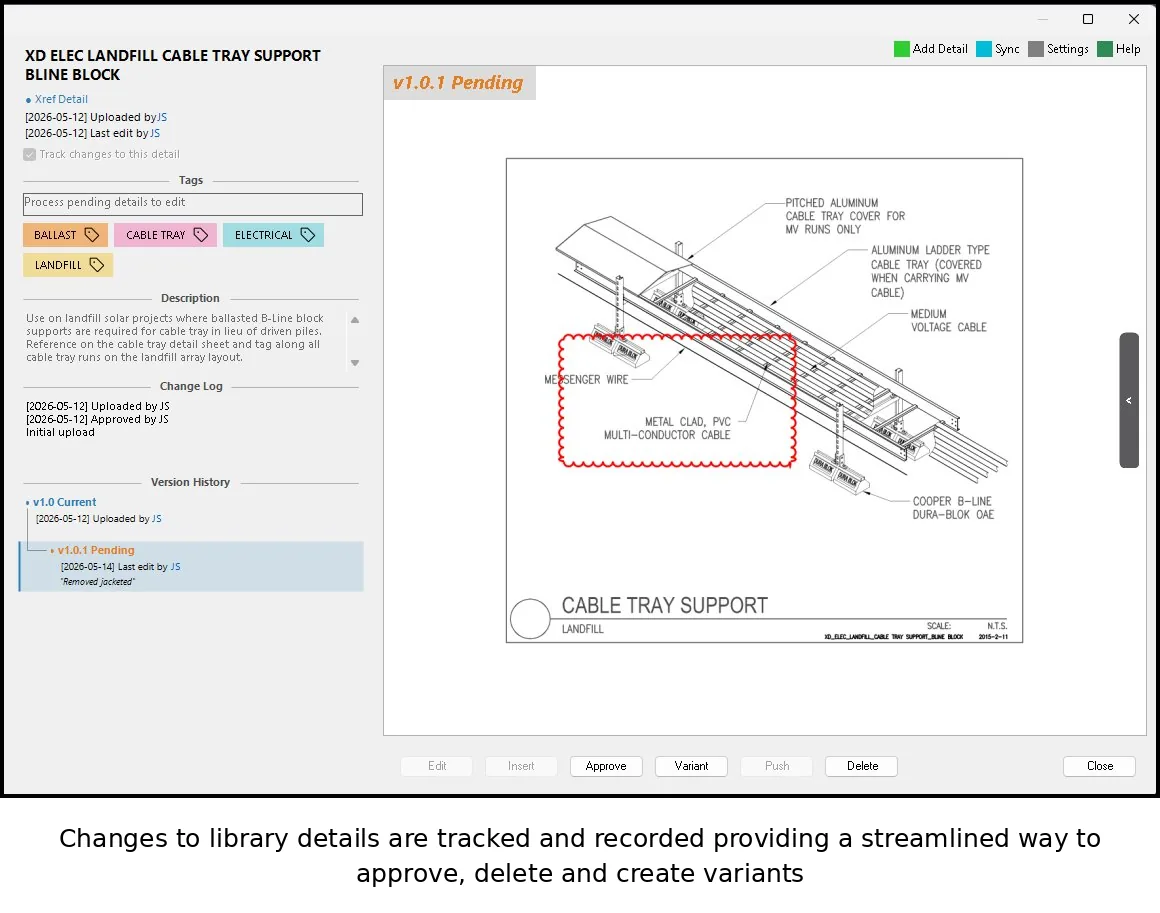
Make the standard the easy choice
The most effective way to enforce standards is to make the compliant option the most convenient one. When the approved detail is one search away inside AutoCAD, drafters use it — not because they're told to, but because it's faster than digging through old files. Caddex centralizes your approved details in a searchable library that lives right in the drawing environment.
Control changes with versioning and approval
Caddex tracks every version of every detail and separates drafts from approved standards with a folder-based approval workflow. A detail becomes a firm standard only after review — and when it's updated, the new version syncs to the whole team automatically. Role-based access control means only the right people can change what counts as standard.
Built for AEC teams on AutoCAD
Caddex works with AutoCAD 2025–2027 and is licensed per user, so a CAD manager can roll it out to a few drafters or an entire department. The result is standards that hold up across projects without constant policing.
Put your standards where people work
Try Caddex free — no signup wall, up to 10 details — and see how a centralized, version-controlled library keeps your standard details consistent across the team.
Frequently asked questions
What is CAD standards management?
CAD standards management is the practice of making sure every drafter, on every project, actually uses a firm's approved details and conventions rather than copying whatever was handy from the last job. Standards documents don't enforce themselves — the tooling around your details does, by keeping the approved versions centralized, version-controlled, and easy to reach inside AutoCAD.
Why do CAD standards drift over time?
Standards drift when approved details are hard to find (so people reuse old drawings), when there's no clear line between an approved detail and a working draft, when a changed standard can't be reliably pushed to everyone, and when nobody can see who changed what or when. Each gap lets non-standard details creep back into production.
How do you enforce CAD standards across a team?
The most effective way to enforce standards is to make the compliant option the most convenient one: put the approved detail one search away inside AutoCAD so using it is faster than digging through old files. Pair that with version control, a folder-based approval workflow, and role-based access so only reviewed details become firm standards and updates sync to the whole team automatically.