AutoCAD Detail Management
Standard details are one of a firm's most valuable assets — and one of the worst-managed. Here's what good AutoCAD detail management looks like, and how Caddex delivers it.
Most AutoCAD teams manage details the same way: a shared network folder full of DWG files, plus whatever lives inside past project drawings. It works until it doesn't. Drafters copy details from old jobs, edit them locally, and the "firm standard" quietly fragments into a dozen slightly different versions. AutoCAD detail management is the discipline — and the tooling — that stops that drift.
The three problems every team hits
- Duplication. The same detail exists in five drawings, each a little different. Nobody knows which is correct.
- No version history. A detail gets changed and there's no record of what it looked like before, or why it changed.
- No approval gate. A half-finished or non-compliant detail ends up in a construction set because nothing stood between "draft" and "issued."
What good detail management looks like
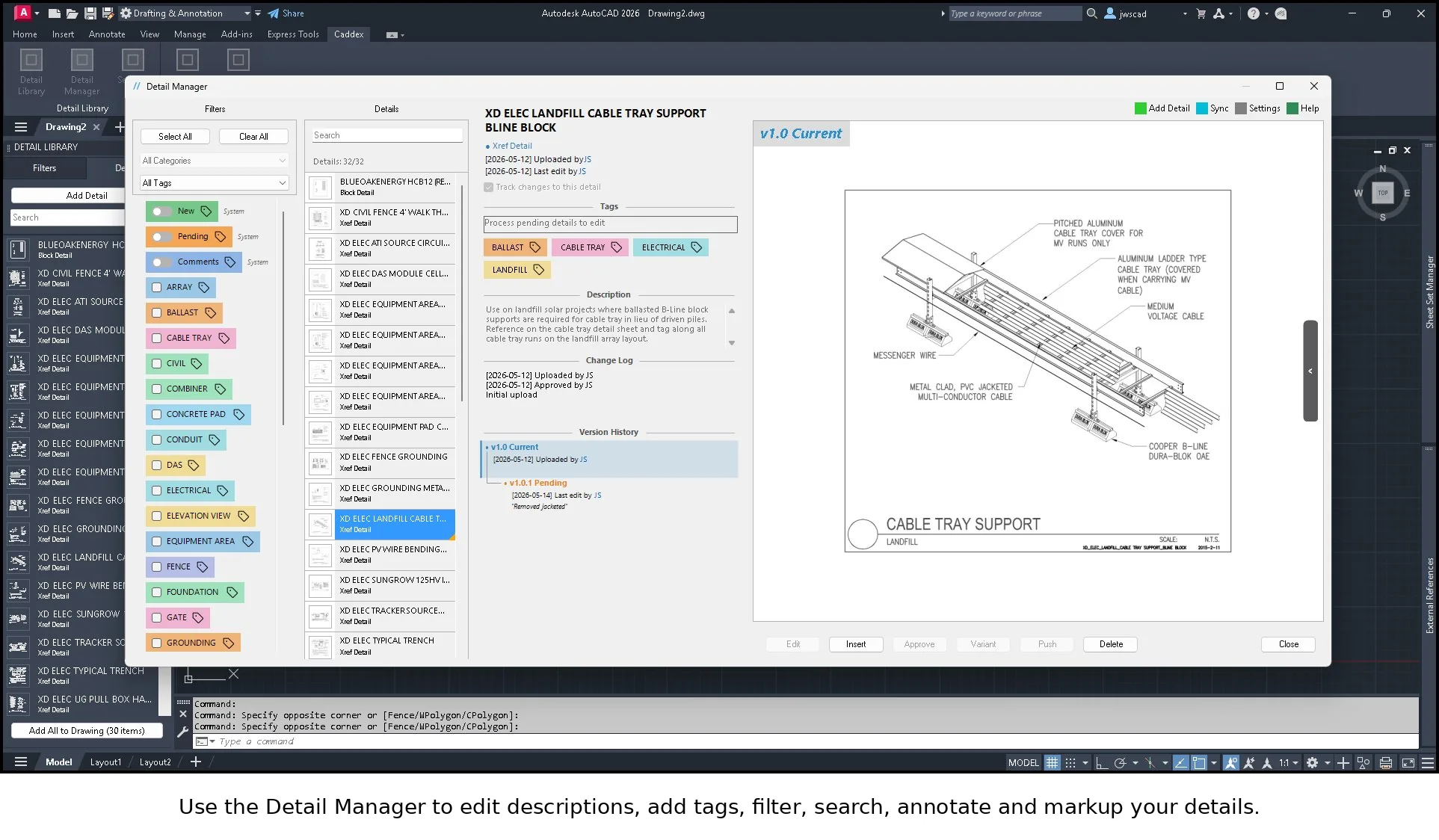
Effective detail management rests on a few principles: a single source of truth for every detail, consistent naming and tagging so details are findable, version tracking so changes are auditable, and an approval step so only vetted details reach production. You can approximate this with rigorous folder conventions and discipline — but discipline doesn't scale past a few people.
How Caddex handles it
Caddex builds these principles into an AutoCAD plugin. Details live in a centralized, searchable library with preview thumbnails and tags. Every change is tracked with full version history. A folder-based approval workflow keeps drafts out of production. And cloud sync with role-based access keeps the whole team on the same library — automatically, without anyone policing a network drive.
See it on your own details
Install the free trial — no signup wall — and load up to 10 of your real details to see how the library, versioning, and approval flow work. Add a seat when you're ready to go team-wide.
Frequently asked questions
What is AutoCAD detail management?
AutoCAD detail management is the discipline — and the tooling — of keeping a firm's standard details consistent, findable, versioned, and approved, instead of letting them fragment into slightly different copies scattered across project drawings. It rests on a single source of truth for every detail, consistent naming and tagging, version tracking, and an approval step before a detail reaches production.
Why do standard details become inconsistent over time?
Most teams keep details in a shared network folder and inside past project drawings. Drafters copy details from old jobs and edit them locally, so the firm standard quietly fragments into a dozen slightly different versions. The three usual causes are duplication (the same detail living in many drawings), no version history, and no approval gate between a draft and an issued detail.
Can I manage AutoCAD details without dedicated software?
You can approximate good detail management with rigorous folder conventions, naming discipline, and manual version tracking — but that discipline doesn't scale much past a few people. A tool that centralizes details in a searchable library with version history and a built-in approval workflow keeps the standard intact automatically, without anyone policing a network drive.